MACg Editor —
Full Word-Like Editor For
AI-Created Scientific Documents

Overview: What the MACg Editor Is and How It Works
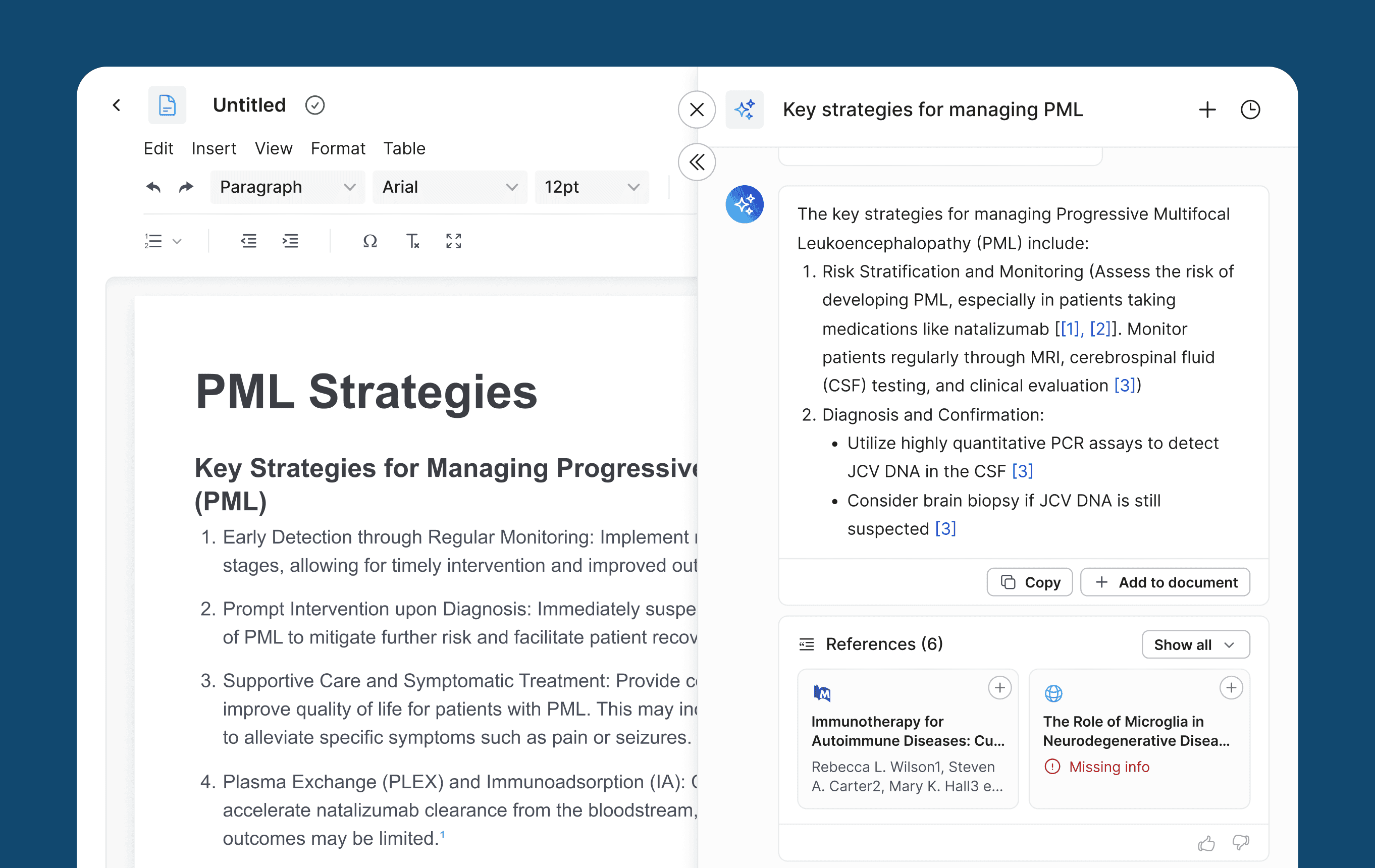
The MACg Editor is a Word-like text editor that accepts one-click transfers from the Ask MACg chat interface, bringing in fully formatted text, tables, charts, diagrams, and images.
It's integrated with the Citation Generator, so citations are inserted instantly and auto-renumbered as you edit. Each section maps back to its Ask MACg discussion for context, autosaves to your Work folder, and can be standardized with reusable, branded templates.
One click import from Ask MACg (text, tables, charts, diagrams, images).
Word-like editing with full reformatting, links, and table tools.
AMA/APA/MLA cite-as-you write; bibliography updates as you move text.
Sections stay linked to Ask MACg for context aware refinements.
Autosave to your Work folder; reusable templates for MI letters, custom responses, and other content.
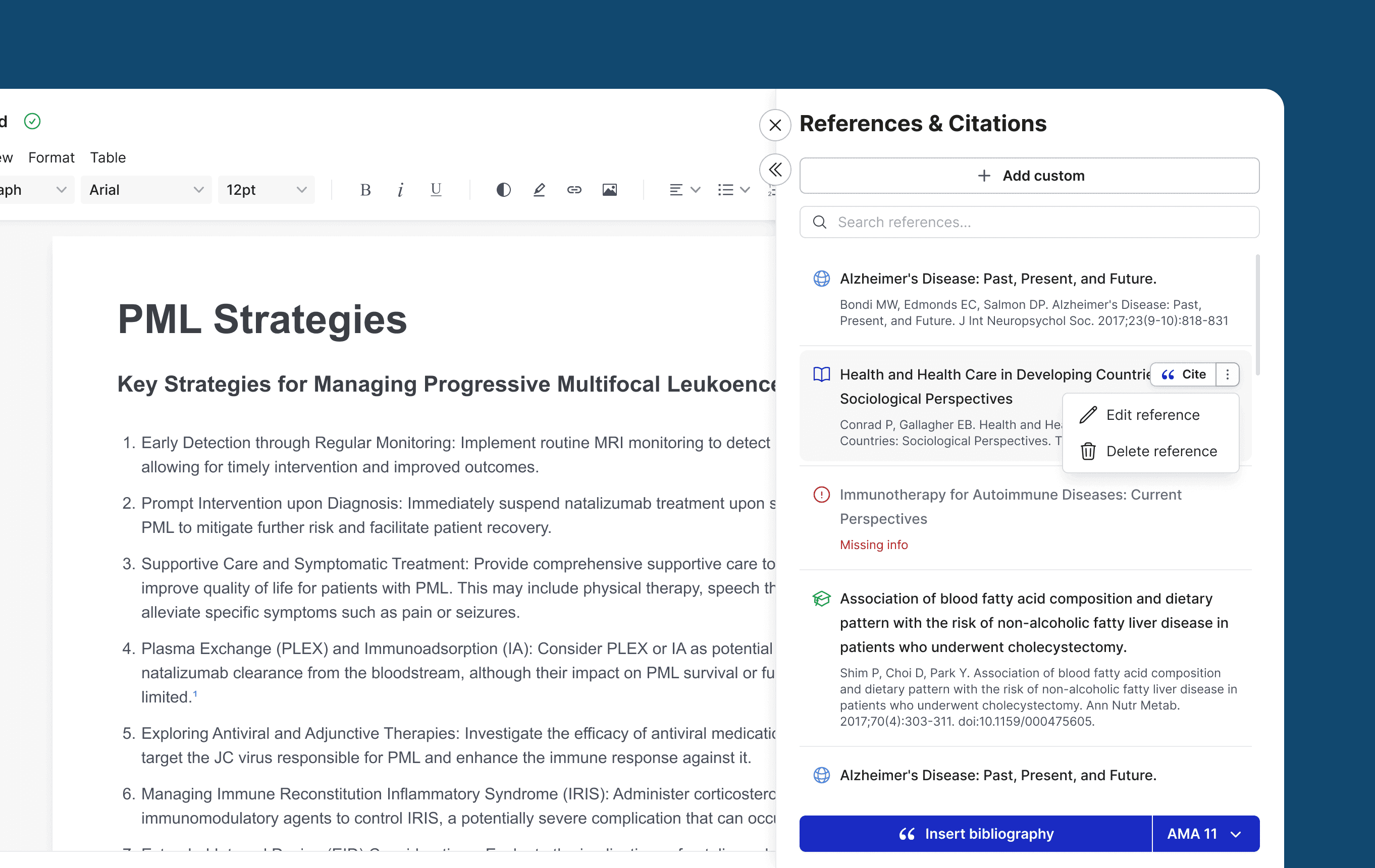
Assemble Rich Scientific Content Effortlessly
Text: Insert structured sections, copy and paste, rearrange sections, and refine with inline edits.
Tables: Create tables or populate from chat. Adjust columns, alignment, captions, and header rows.
Charts and diagrams: Populate charts and diagrams from chat or paste from your files.
Images: Insert images, including infographics, from chat or paste from your documents.
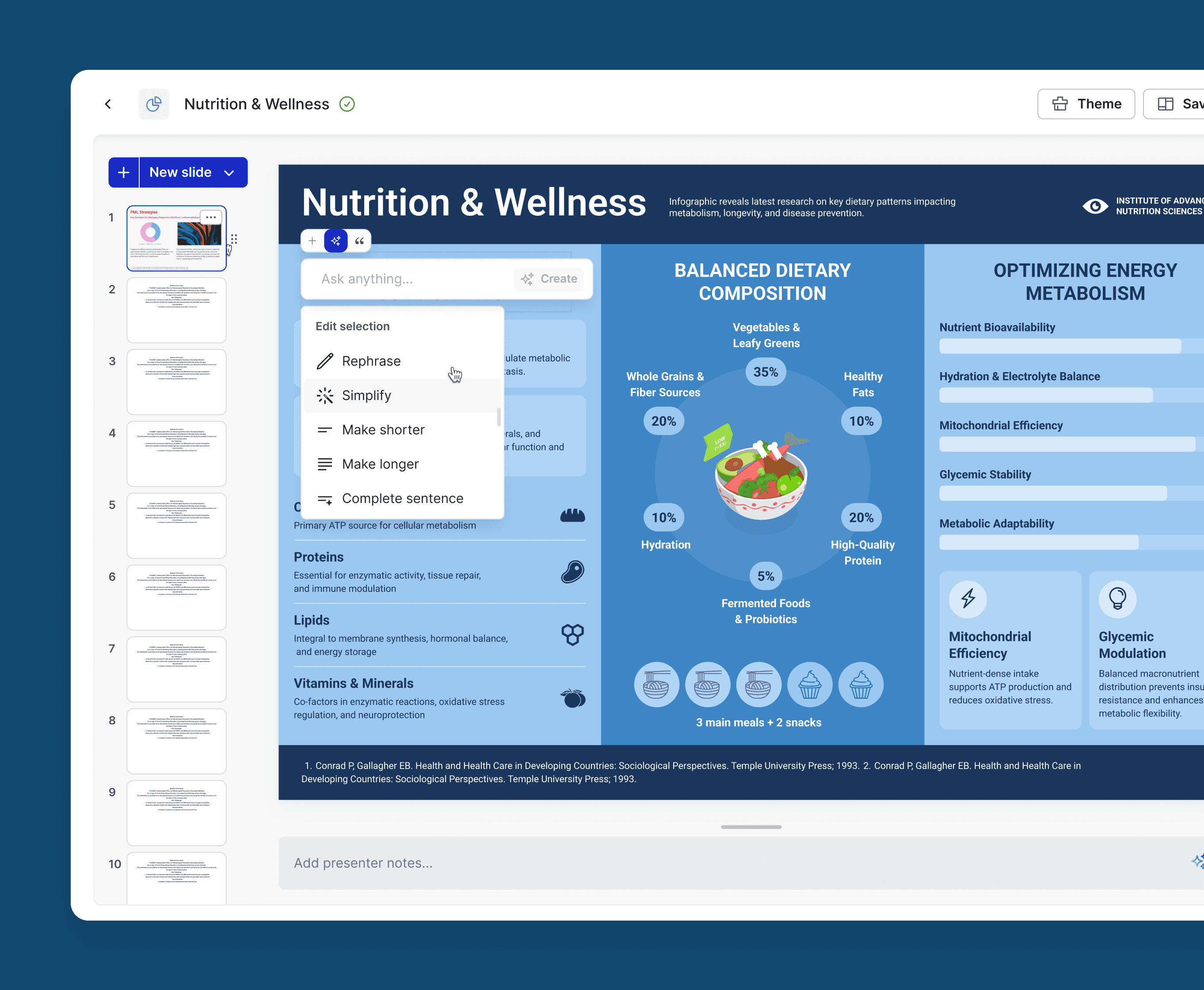
Edit with Familiar, Word-Like Controls
Fast formatting: headings, lists, footnotes, captions, hyperlinks, and styles.
Clean table tools: merge/split cells, set header rows, align numeric columns, and resize gracefully.
Everyday actions: cut, copy, paste, undo/redo, find/replace, and drag to reorder sections.
Links and anchors: add external links and internal anchors for cross references.
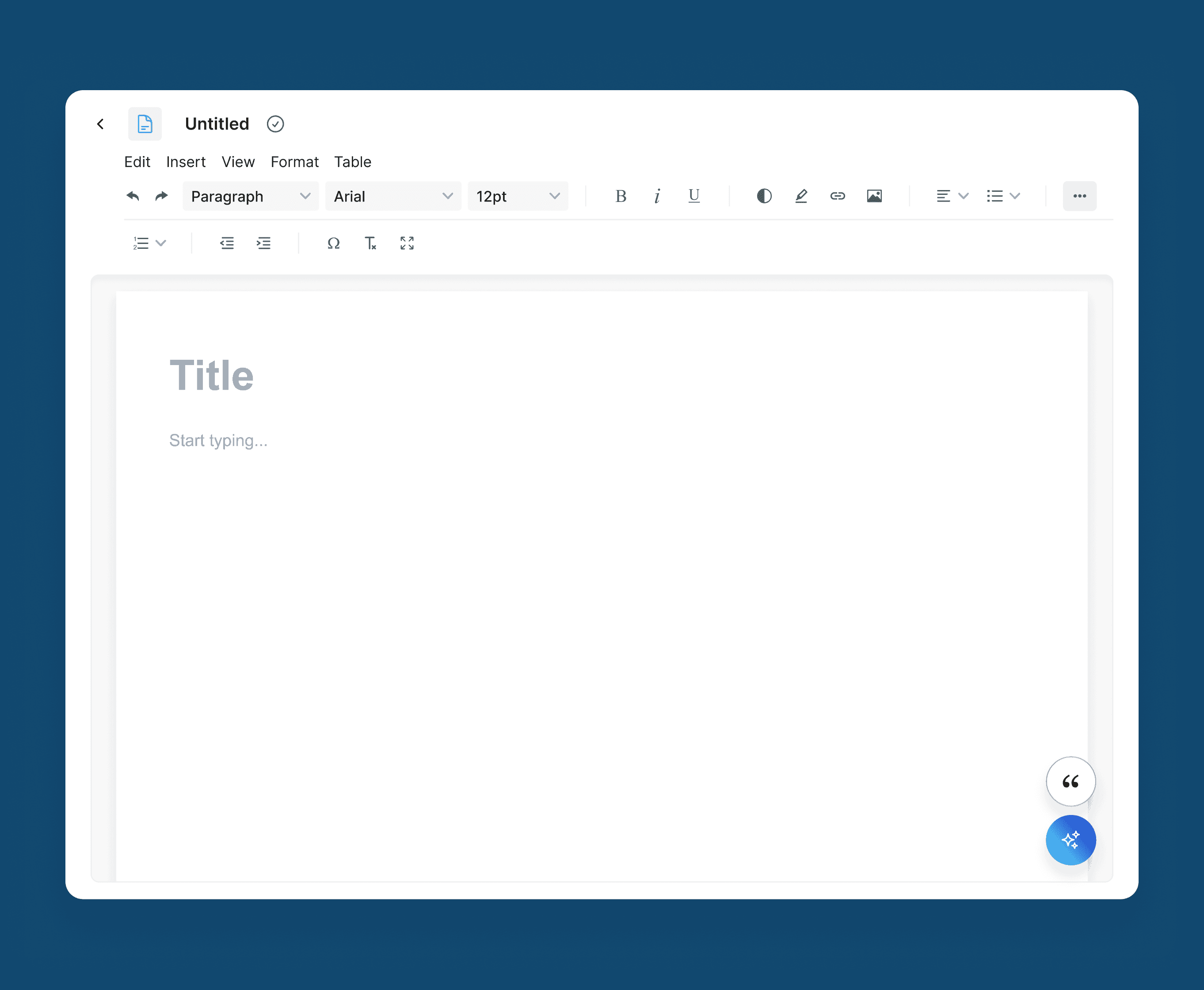
Integrated Citations That Stay Correct As You Edit
Cite-as-you write: use the Citation Generator to cite any section; intext citations insert instantly.
Auto-update logic: when you move or edit text, citation numbering and the bibliography reflow automatically.
Style switching: toggle AMA, APA, or MLA at any stage — the editor updates in seconds.
Library mapping: references link back to items in Reference Collections for traceability.
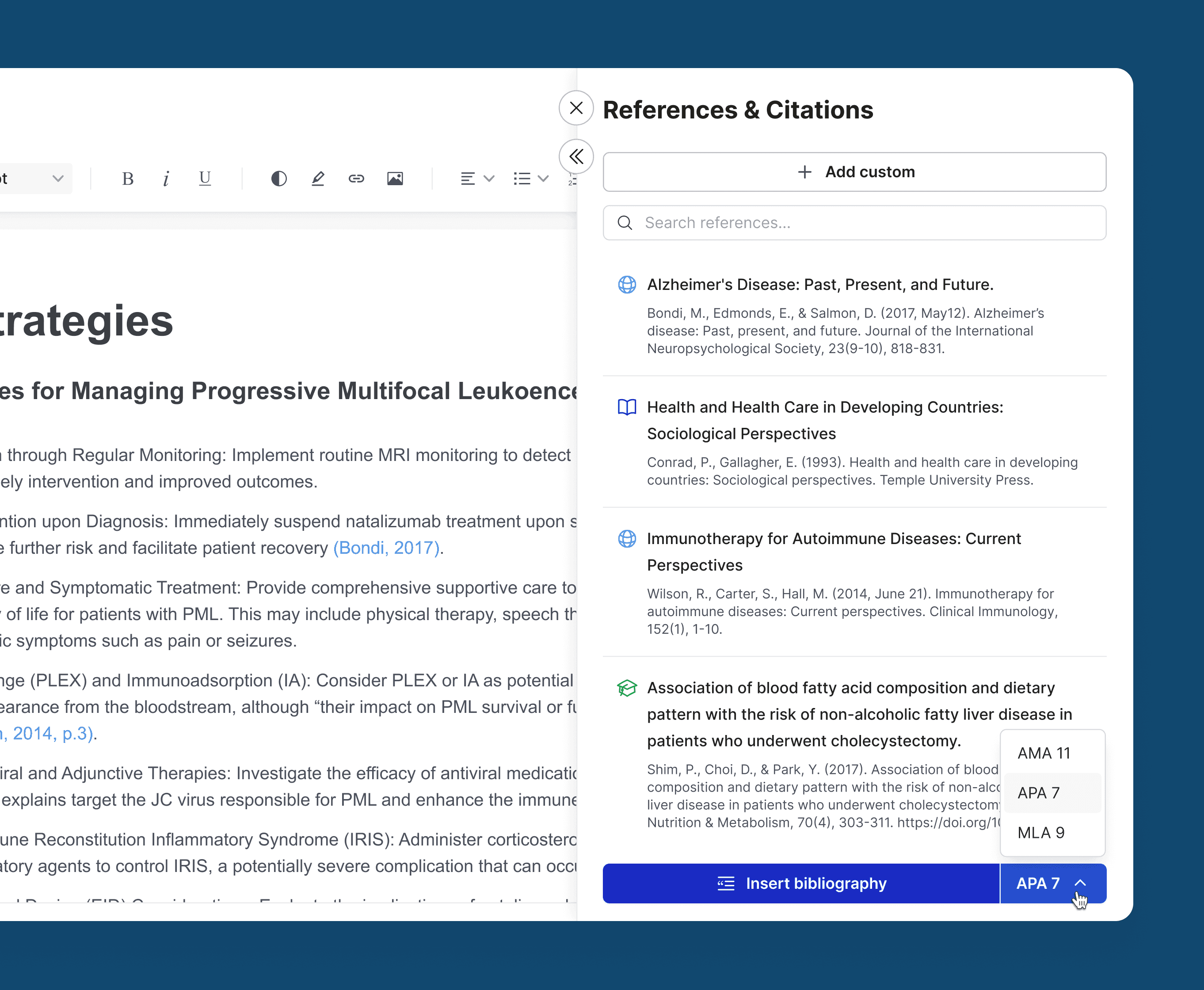
Keep Chat and Document in Sync
Discussion mapping: content in the editor maps to the corresponding Ask MACg conversation (s) and sources used.
Context continuity: continue the conversation on a selected section to refine it and push updates back into the editor.
Autosave and Export
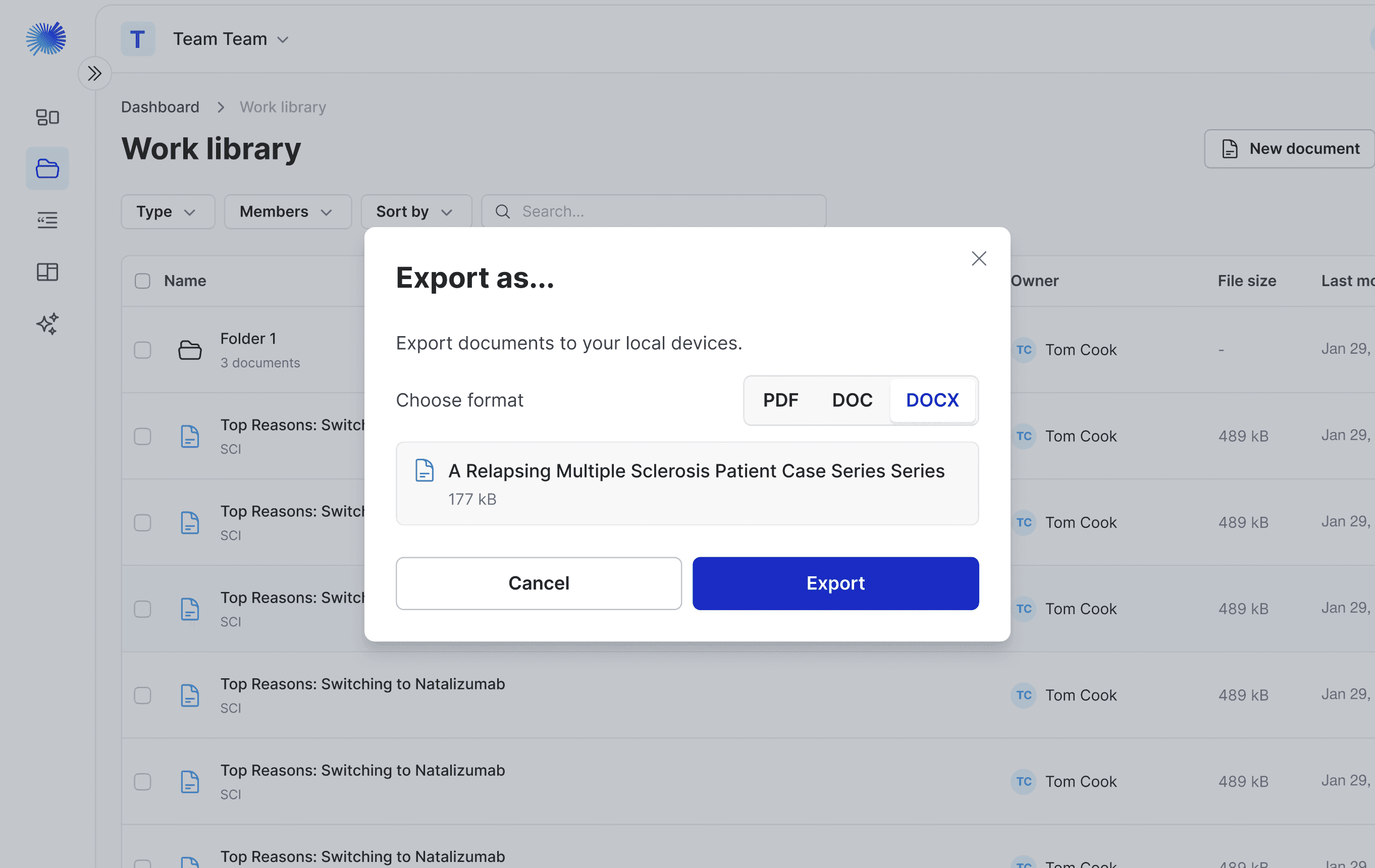
Automatic saves: work is continuously saved to your Work folder with date stamps.
Export: Export to MS Word or PDF.
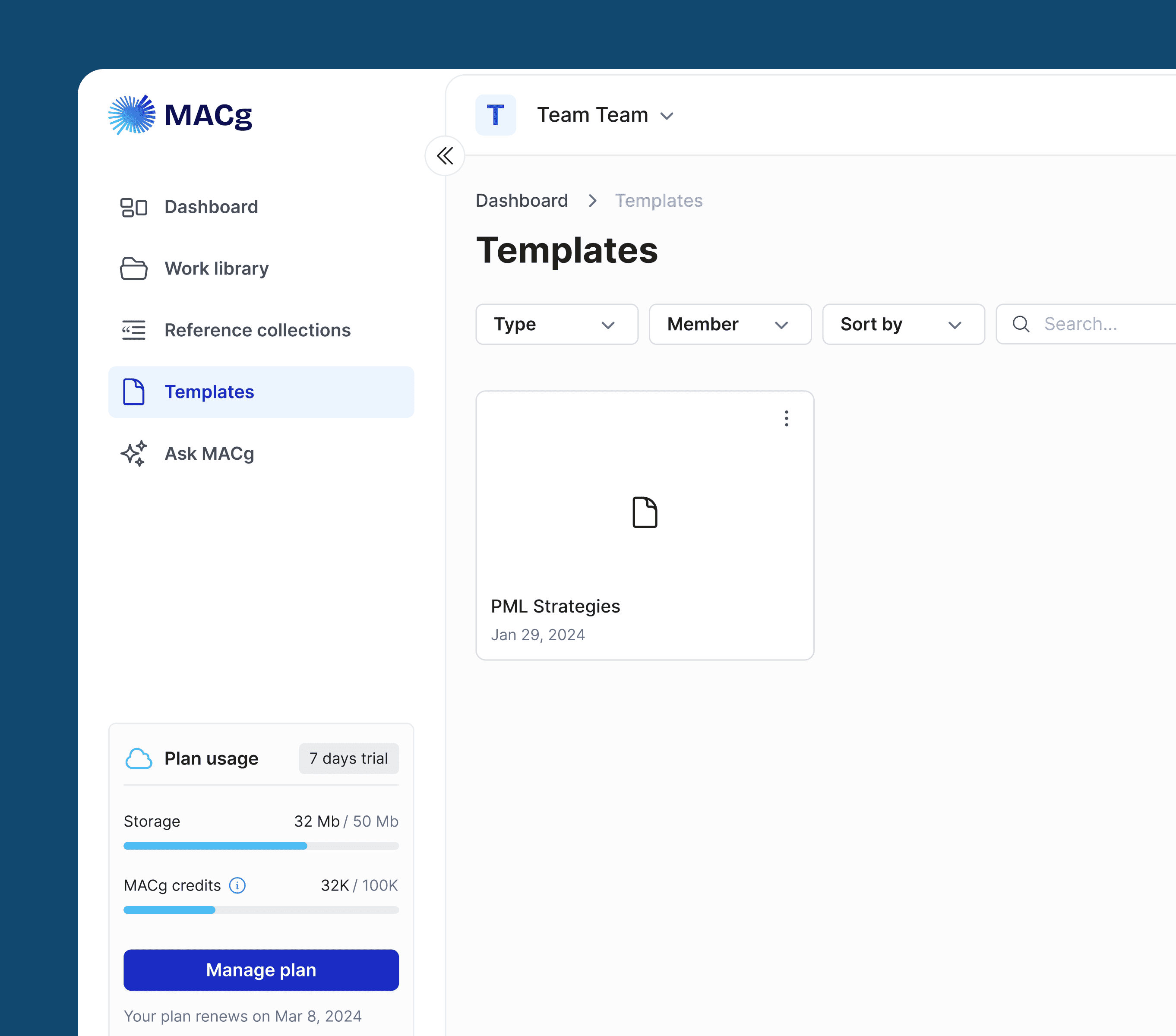
Custom Templates for Repeatable, Compliant Outputs
Template builder: create templates with company logos, images, disclaimers, links, and pre-populated content blocks.
Ideal use cases: All content, including medical information letters, custom responses, manuscripts, journal club summaries, article summaries, SOPs, blogs, and more.
Reuse at scale: save, share, and reuse templates across brands, TAs, and teams for consistency and speed.
How It Works (At a Glance)
Frequently Asked Questions
Can I edit everything I import from Ask MACg?
Text and tables are fully editable with Wordlike controls. Images, charts, and diagrams can be repositioned or resized.
How do citations behave when I move paragraphs?
In-text citations and the bibliography renumber and reorder automatically as you move or edit text.
Can I switch citation styles late in the process?
Yes. Switch between AMA, APA, and MLA at any time; the editor updates all references instantly.
Does the editor keep my chat context?
Refine content with full context and sources in Ask MACg then transfer the chat output to the editor, including references.
Are there templates for repeatable documents like MI letters?
Yes. Build reusable templates with logos, disclaimers, links, and prefilled sections to standardize outputs and save time. We can build custom templates and a template library for enterprise customers.
Is my work saved automatically?
Yes. Edits are autosaved to your Work folder with version history for safety and auditability.

Move from AI generated insights to polished, publication ready documents in minutes. Use the MACg Editor to populate, edit, cite, and template your scientific content — all in one seamless workflow.
Try the MACg Editor freeResources & News
A Real-World Review of MACg for Editing, Writing, and PubMed Search
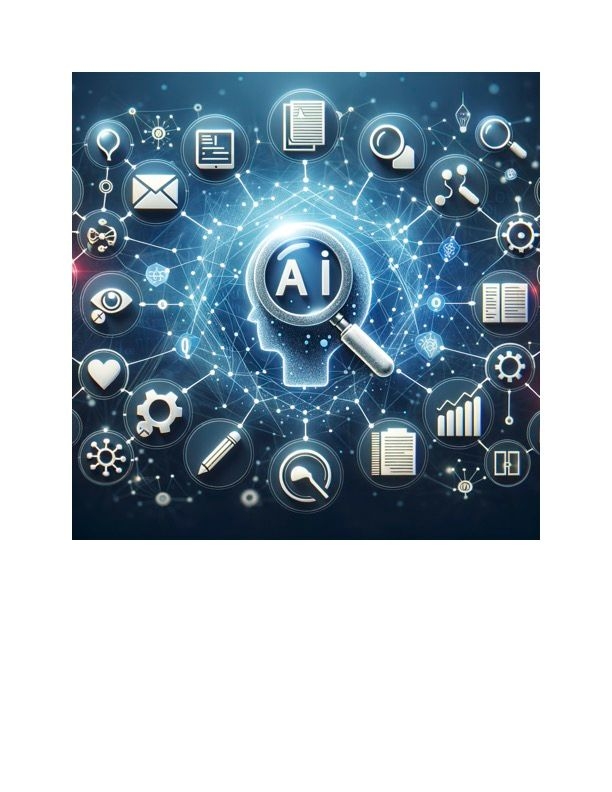
Dr. Goldina Erowele examines the transformative role of MACg, an AI platform designed for life sciences professionals. Her initial experience involved using MACg to review a draft document and integrate PubMed references, showcasing its ability to streamline research and ensure content accuracy. MACg's tools expedite the draft review process, improving tone and readability while maintaining compliance with medical standards. The platform's applications extend to creating scientific abstracts, clinical trial reports, and training materials, promising to enhance productivity and impact in medical communications.

Jan 27, 2025
AINGENS Launches A Generous Affiliate Program for MACg, The Cutting-Edge AI Platform for Life Sciences Content Creation
AINGENS, a leader in AI-driven research and medical writing innovation, announces an affiliate program for its flagship product, MACg. The program offers an attractive 30% recurring commission. The press release highlights MACg's advanced features, including AI multimodal writing assistance powered by GPT-4.0 and o3-mini, real-time integration with PubMed, automated citation support, and robust visualization tools. Additionally, MACg boasts an enterprise-grade security framework that ensures data privacy and GDPR compliance. This comprehensive announcement also emphasizes AINGENS' focus on empowering teams with fit-for-purpose AI solutions that streamline and enhance life sciences workflows, enabling users to achieve unprecedented productivity in scientific content creation. This initiative underscores AINGENS' dedication to innovation in scientific research and content creation.

Jun 26, 2025
How to Efficiently Write a Scientific Review Article with MACg: Your AI-Powered Assistant for Academic Writing, Automated Research, and Citation Management
Discover how MACg, the AI-powered writing assistant, transforms the process of crafting a scientific review article. This step-by-step guide reveals how MACg automates key tasks-from defining your research scope and conducting literature searches to drafting content and creating visuals-all in under 30 seconds per task. With example prompts and insights into time savings, learn how MACg reduces the writing process from weeks to hours, allowing you to focus on analysis and innovation. Dive into the future of efficient academic writing and see how MACg can revolutionize your workflow.

Jul 26, 2025